The web part is provided in 3 different packaging, all following Microsoft guidelines:
For Classic Experience:
- Add-in, for tenants with a configured App Store/Catalog.
- WSP, no-code sandbox solution, (recommended) whenever sandbox is available.
For Modern Experience:
- SPFx, SharePoint Modern Pages.
For Microsoft Teams:
- SPFx, Microsoft Teams.
After unzipping your web part package, you will find three folders, a app folder, a wsp, and a SPFx folder. You will be using one of these folders to install the web part.
But first, let's check out what is inside the package.
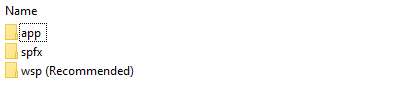
app 📁
└── BT _x.x.x.x.app
spfx 📁
└── SP2019
└────── BT _x.x.x.x.sppkg
└── Office365
└────── BT_* MSTeams.zip
└────── BT* _x.x.x.x.sppkg
wsp (Recommended) 📁
└── BT _x.x.x.x.wsp
└── README.md